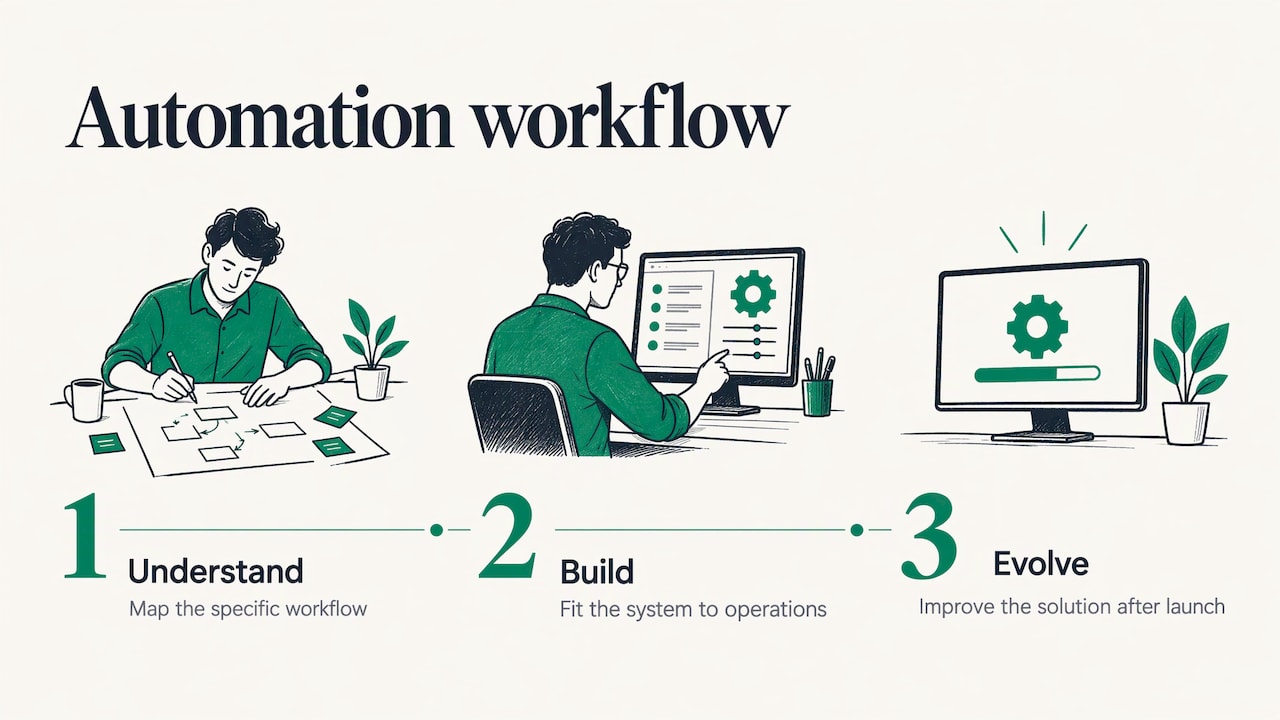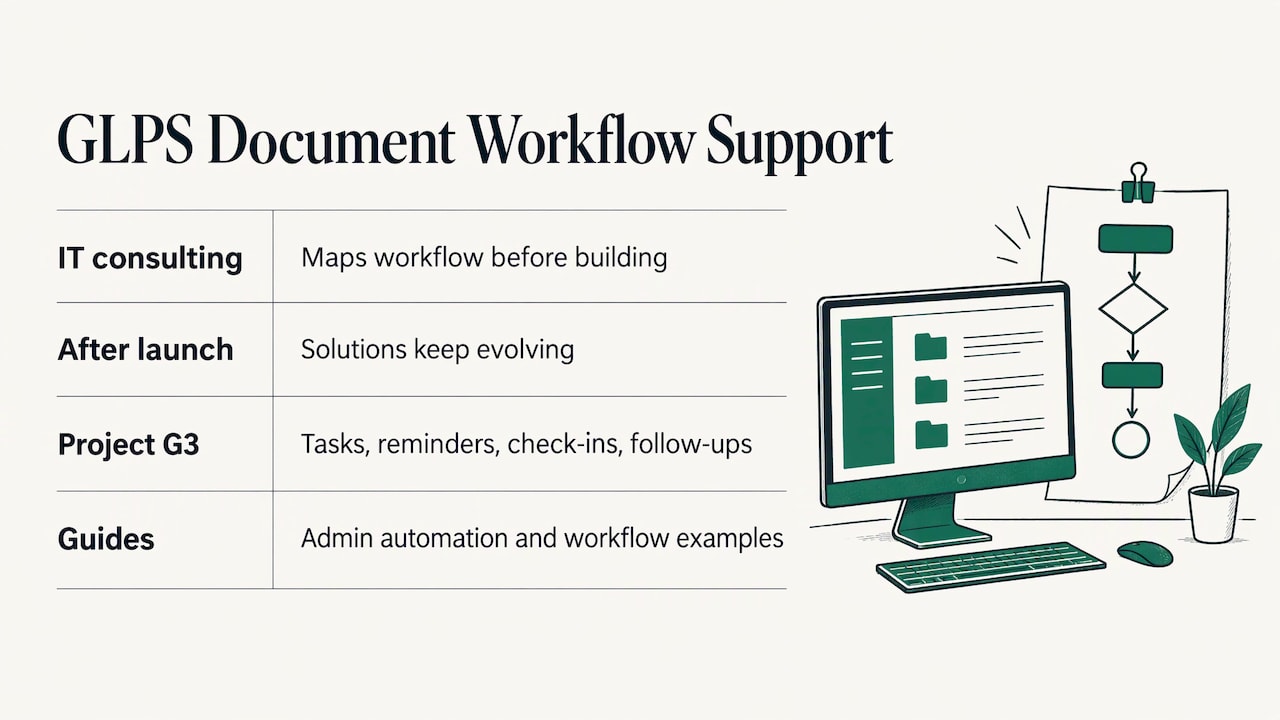
Custom operations software is software built around the way your business actually runs: how work comes in, who touches it, what gets sent to customers and what gets followed up. It earns its cost when the work is repetitive, spread across several tools and tied to customer communication. The reliable way to get there is to understand the workflow first and build second. That is how we approach it at GLPS Memphis, through IT consulting and products like Project G3, an AI-powered assistant for tasks, reminders and follow-ups.
This guide is for owners, operations managers and event hosts who want to know what they are buying, when it makes sense, and how a build goes from first conversation to something the team uses every day.
TL;DR
- Custom operations software automates and connects the routine work of running a business: tasks, reminders, check-ins, follow-ups, customer messages and handoffs between systems.
- It makes the most sense when a process is high volume, repeated the same way every time and slowed down by manual steps or disconnected tools.
- Map one contained process first, with each step’s role, inputs, outputs and time, before anyone writes code.
- Plan integrations, data, testing, training and cutover up front, and expect to review the system at least once a year.
- Judge success by a few numbers you set before launch: turnaround time, missed follow-ups, response time to customers.
Table of Contents
- What custom operations software actually is
- When custom beats adapting what you already have
- Step 1: Map the workflow before you build anything
- Step 2: Write requirements people can test
- Step 3: Plan the integrations, data and rollout
- Step 4: Build, test and launch in stages
- Where operations software shows up in customer communication
- How to tell whether it worked
- How we can help
- FAQ
- Sources
What custom operations software actually is
Every business has an operating layer: the tasks, approvals, reminders, messages and records that keep work moving. In a small company that layer often lives in inboxes, spreadsheets, sticky notes and one person’s memory. Operations software moves it into a system that does the repetitive parts on its own and shows people what needs attention.
“Custom” means the system is shaped to your process rather than the other way around. Instead of changing how you work to fit a template, the software follows your steps, your names for things and your handoffs. Our own guide to custom business software covers the broader category and when it pays off.
In practice, operations software usually handles some mix of these jobs:
- Task and reminder management. Who needs to do what, by when, and a nudge when it slips.
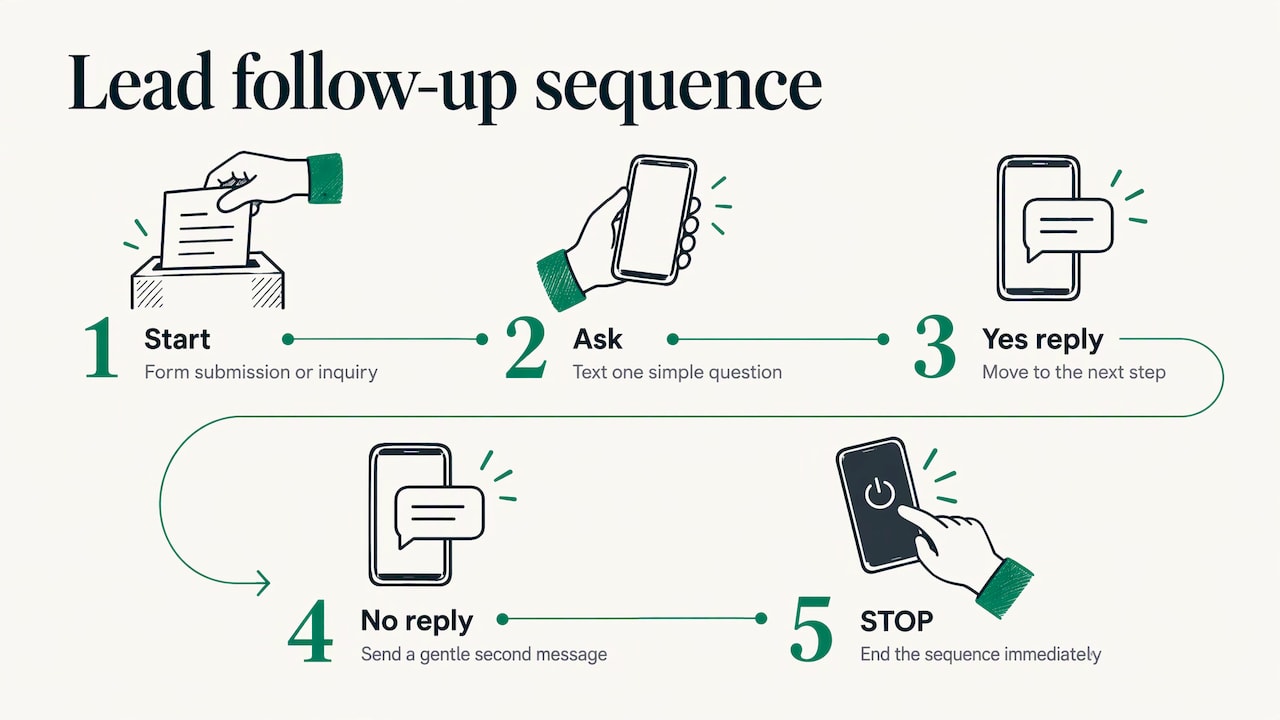
- Check-ins and follow-ups. Confirming that a job, appointment or request was completed, and chasing what was not.
- Customer communication. Texts or messages that go out at the right moment, such as confirmations, updates and replies to common questions.
- Document and administrative flow. Forms, approvals and records moving from one person to the next. See our walkthrough on automating document workflows.
- Connections between tools. Passing data from one system to another so nobody retypes it.
If you want concrete pictures of these in small and mid-size companies, our workflow automation examples show what each looks like day to day.
When custom beats adapting what you already have
Most businesses start with off-the-shelf tools, and that is a sensible first step. The question is when the workarounds cost more than the fit would. These are the signals that a custom build is worth a serious look:
- The same manual task happens dozens of times a week. Copying details between systems, sending the same reminder, chasing the same confirmation.
- Your process does not match any template. You keep adding spreadsheets, add-ons or manual steps to cover what the tool cannot do.
- Information lives in several places. Staff check three systems to answer one customer question.
- Customers wait because of internal handoffs. Delays come from work sitting between people rather than from the work itself. Our piece on where business process delays come from goes through the usual causes.
- You expect to grow or change. A system that follows your process can change when your process does.
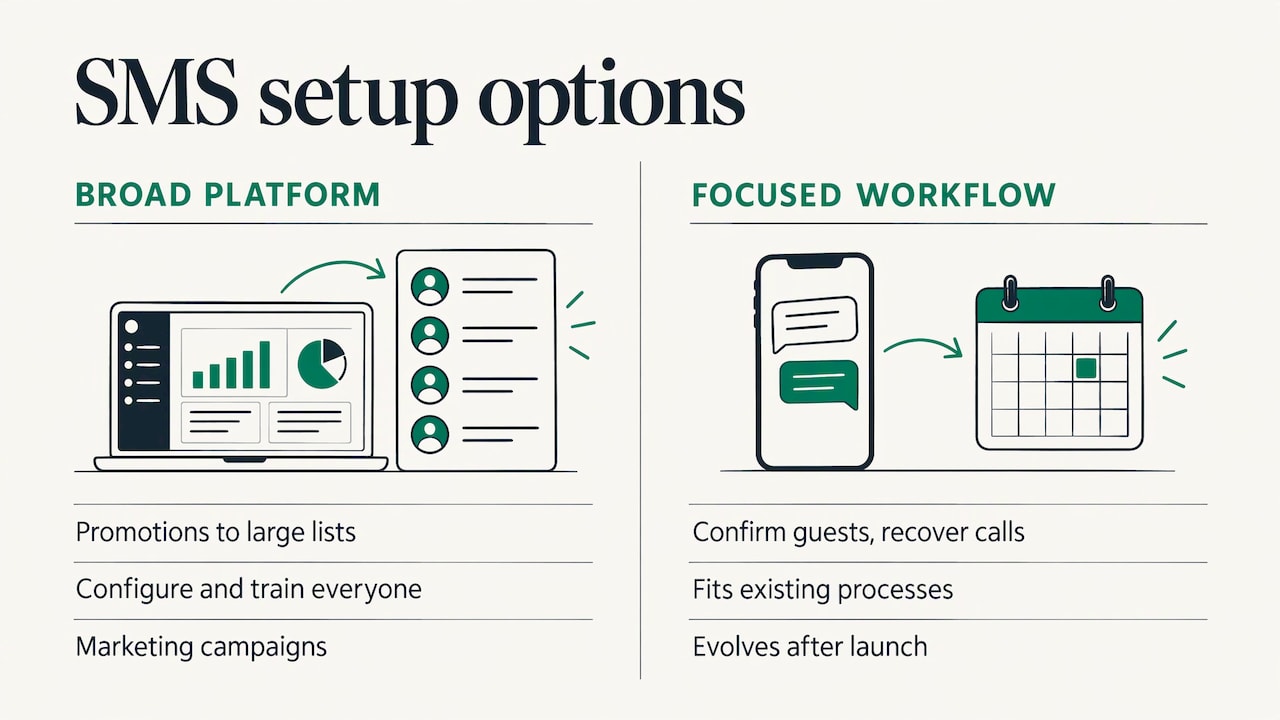
When several of these are true at once, the case for custom software is strong. When only one is true, a smaller automation aimed at that single problem often solves it. This is why we begin by understanding the workflow before proposing a system: the right answer might be a focused tool such as missed call recovery or an event coordinator, or it might be a broader build.
Step 1: Map the workflow before you build anything
Software built on a process nobody has written down automates the confusion. The most useful hour you can spend before a project is mapping what happens today.
The Australian government’s National AI Centre publishes process-mapping guidance that works for any business, whatever the country. It advises starting with a single process that is high volume, a clear pain point, rich in data and contained enough to finish. For each step, it suggests recording the action, the responsible role, the inputs, the outputs and the time it takes.
It also points to the problems worth flagging as you map: bottlenecks, rework, waiting, manual data entry, inconsistency, information gaps and over-processing. Those flags become the first items in your requirements.
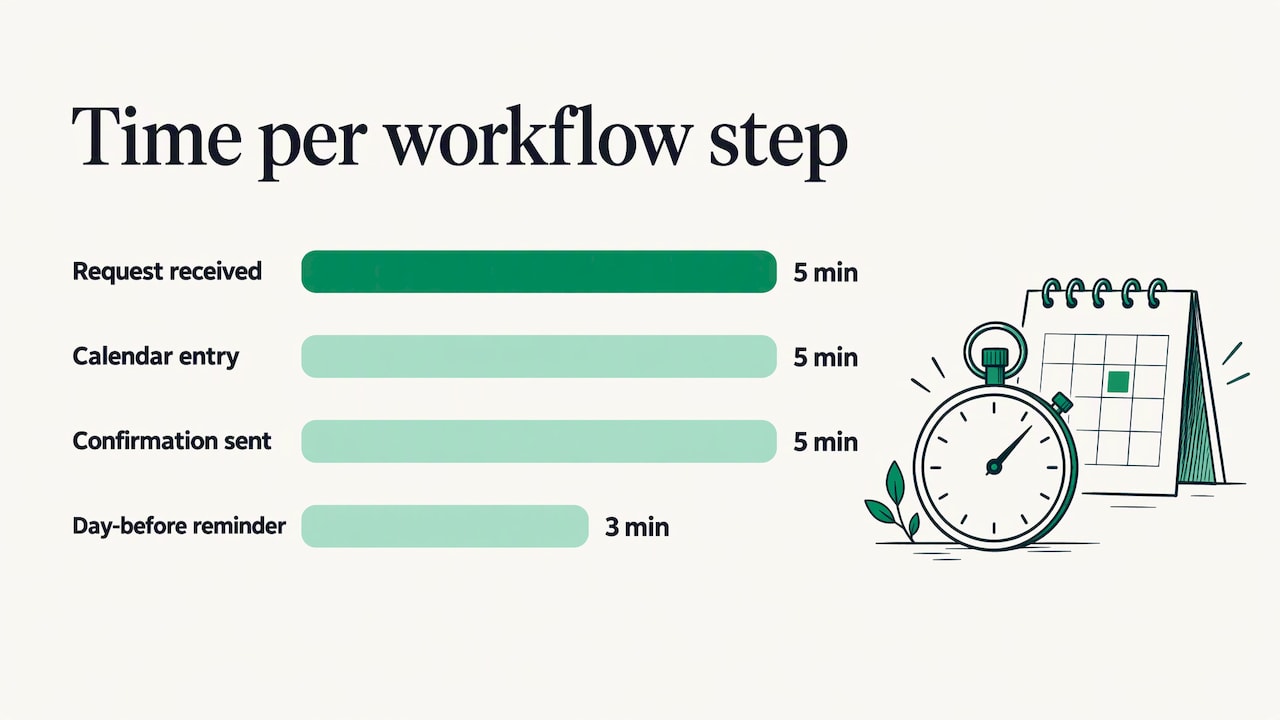
Here is a quick worked example. Say a service business handles appointment requests:
| Step | Action | Role | Input | Output | Time |
|---|---|---|---|---|---|
| 1 | Request arrives by phone or text | Front desk | Customer message | Note in notebook | 5 min |
| 2 | Enter into calendar | Front desk | Note | Calendar entry | 5 min |
| 3 | Send confirmation | Front desk | Calendar entry | Text or call | 5 min |
| 4 | Remind customer day before | Whoever remembers | Calendar | Reminder | 3 min |
| 5 | Follow up after the visit | Manager | Completed job | Message | Often skipped |
The flags are obvious once the table exists: manual entry in step 2, inconsistency in step 4 and a skipped follow-up in step 5. Those three flags describe exactly what an automation should do. Your own numbers will differ, so measure your own process rather than borrowing these.
If you want a second walkthrough of auditing and mapping before you build, this practical guide to custom workflow automation covers the process from the small business side.
Step 2: Write requirements people can test
Turn each flagged problem into a statement a person could check. “Improve follow-ups” cannot be tested. “Every completed job triggers a follow-up message within one business day, and anything unanswered is flagged to a manager after three days” can.
A good requirements list for operations software usually covers:
- What triggers the action. A form, a missed call, a date, a status change.
- What the system does. Sends a text, creates a task, updates a record, notifies a person.
- Who owns the exception. When the system cannot decide, a named role takes over.
- What data it needs and where that data lives.
- What counts as done.
Keep the first version narrow. A system that does three things reliably is more useful than one that promises fifteen and is not trusted. Because we design for systems that keep evolving after launch, the first release does not have to hold every future idea.
Step 3: Plan the integrations, data and rollout
Most operations software does not stand alone. It has to read from and write to the tools, data and communication channels you already use. That is where projects most often stumble, and it is worth planning early.
Some evidence on what to expect:
- Gartner’s guide to building a digital business technology platform reports that nearly 70% of high-success companies in its survey used API management technology, and that they typically integrate with between three and four existing systems. The survey dates from 2020 and covered North America and Western Europe, but the lesson holds for smaller teams: count your connections before you start.
- A Forbes Tech Council piece on moving from off-the-shelf to custom software recommends auditing current tools and data for silos, setting data governance policies, using integration tools or middleware, and documenting processes to find bottlenecks.
- TechTarget’s guide to planning a SaaS implementation names incomplete planning as the main reason implementations fail. Its checklist includes team roles, a test plan, risk management, change management, training, data migration, a cutover approach (big bang, phased or parallel), and a monitoring plan with KPIs.
For a small team, translate that into a short planning sheet:
| Question | Why it matters |
|---|---|
| Which systems does the software need to touch? | Each connection is work to build and test. |
| Where is the customer data, and is it clean? | Messy data produces messy automation. |
| Who is the owner on your side? | Someone must decide when the process changes. |
| Will you switch all at once or in phases? | A phased start limits the damage if something needs adjusting. |
| What will you measure? | You need a baseline before launch. |
Our practical guide to business software integration goes deeper on connecting tools without creating new silos.
Step 4: Build, test and launch in stages
The stages of an operations software project are straightforward even when the technology is not:
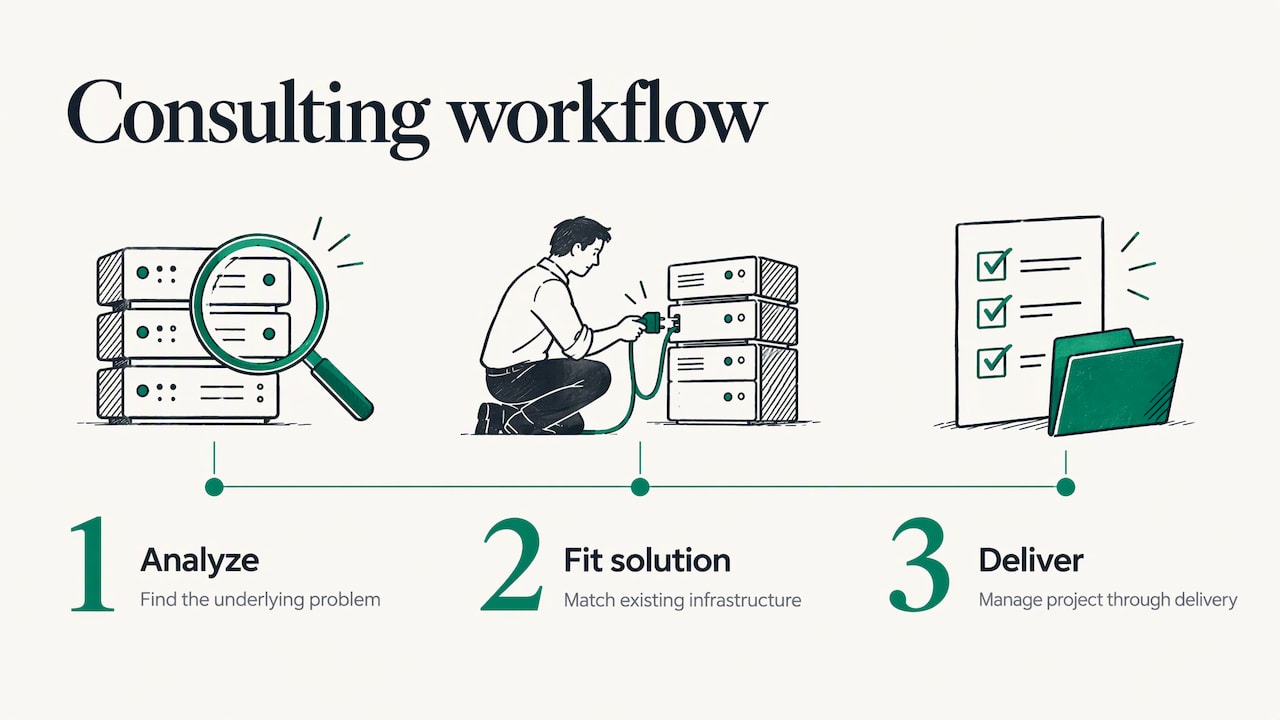
- Discovery. Understand the workflow, the people and the tools.
- Requirements. Define testable outcomes for the first release.
- Build. Create the first version, usually starting with the highest-value process.
- Test. Run real scenarios, including the awkward ones: a customer who replies late, a duplicate record, a missing field.
- Train and launch. Show the team what changes for them and what they no longer have to do.
- Improve. Use what the first weeks reveal.
The last stage is the one people forget. TechTarget’s article on developing an IT automation strategy stresses that automation is not fire-and-forget: business needs, infrastructure, regulations and security vulnerabilities change, so the strategy should be revisited regularly, with an annual review a typical rhythm. It also recommends defined roles, such as an automation lead and a process owner, and regular reporting.
That matches how we work: we aim to understand each workflow before building, and our systems are designed to continue evolving after launch, with ongoing support and improvement.
Where operations software shows up in customer communication
The most visible gains from operations software often show up in how you talk to customers. Two cases come up constantly for our audience.
Event communication
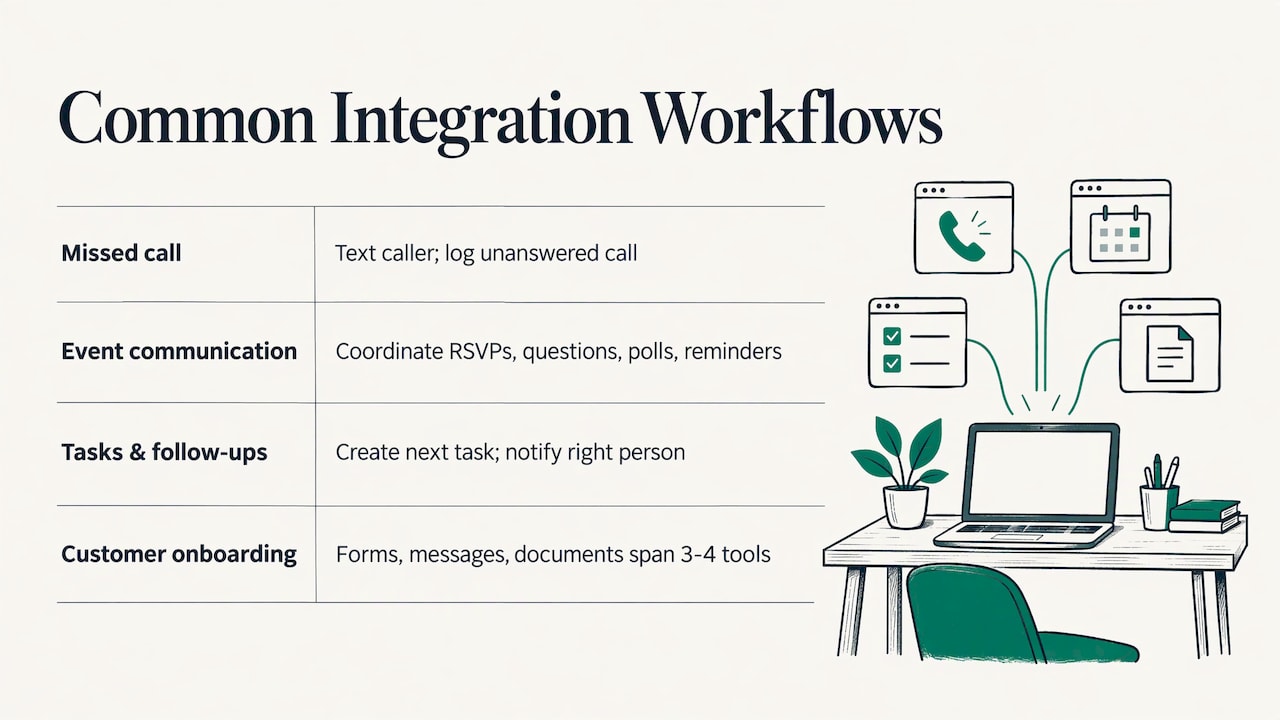
An event host fields the same questions again and again: is there parking, what time does it start, did my RSVP go through. Reminders, polls and last-minute changes all need to reach each guest. Doing it by hand means long evenings of texting and a lot of missed messages.
Our Autonomous SMS Event Coordinator automates guest interactions over text: RSVPs, guest queries, polls and reminders. The host spends less time on message logistics and more time on the event itself.
Missed call recovery
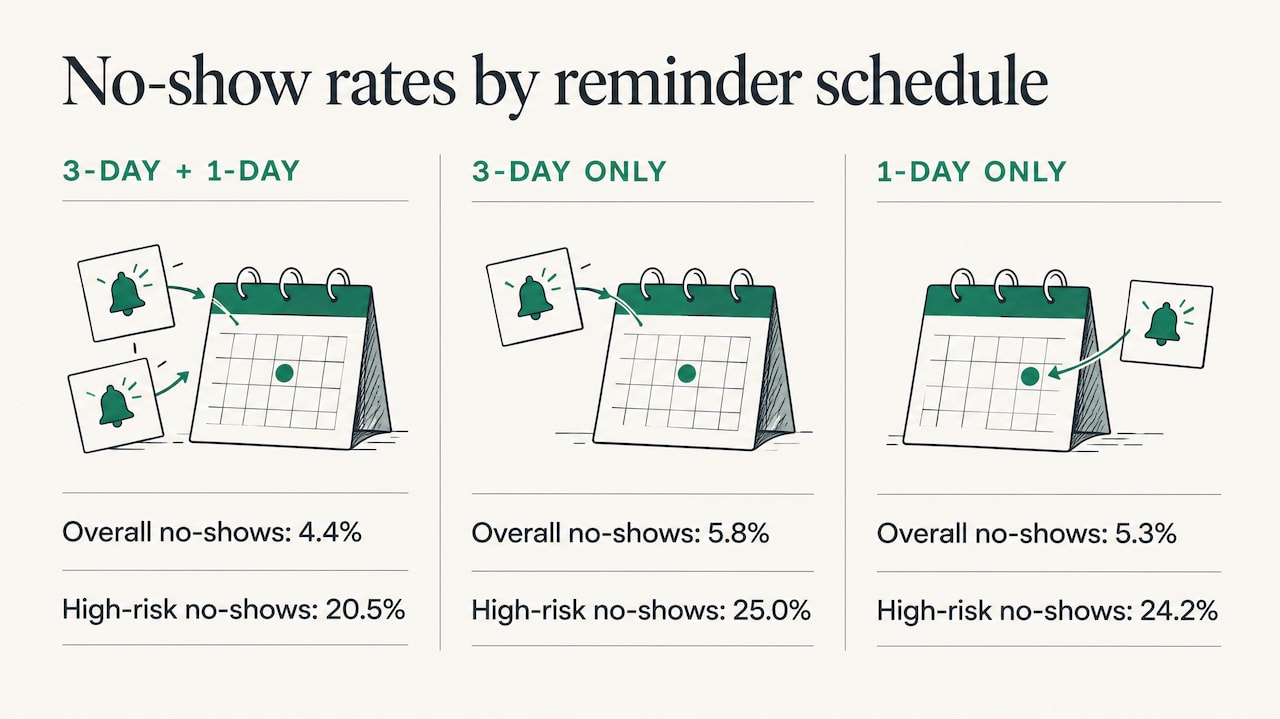
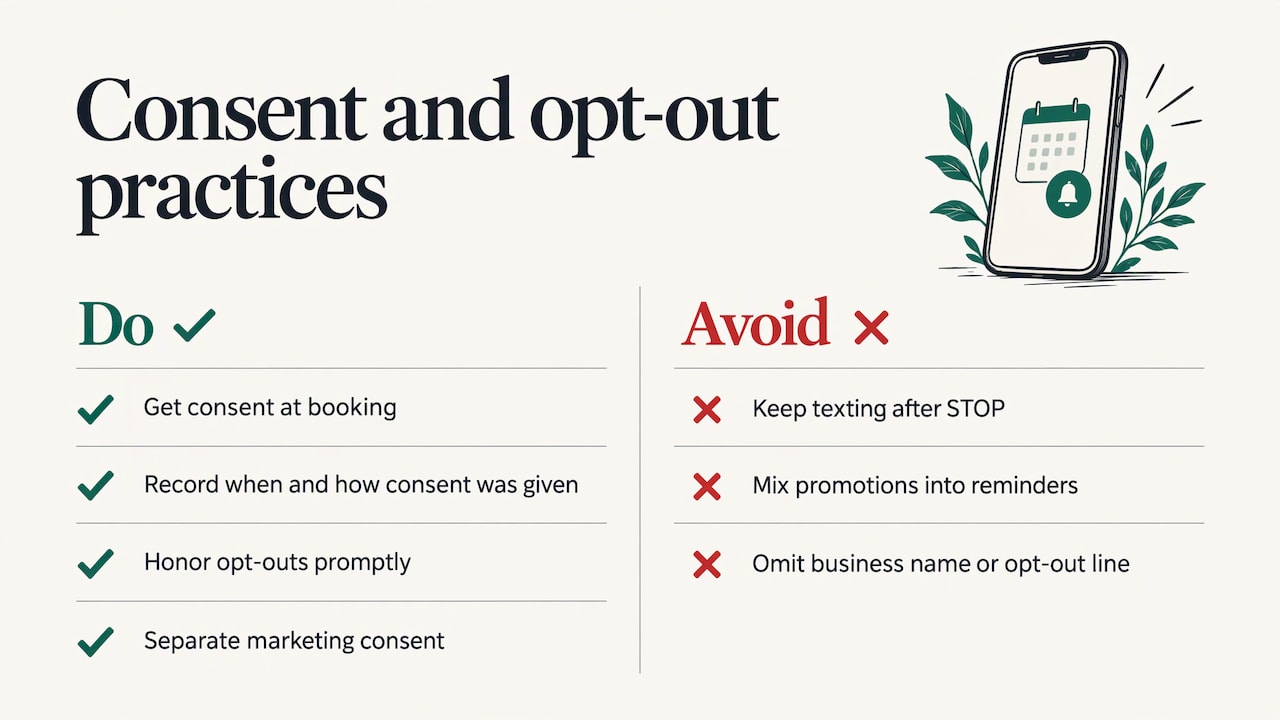
A missed call is often a customer who needed something and moved on to the next business. Automated text messages sent after a missed call let you respond right away, even when your team is on a job or with another customer. Our Missed Call Recovery service handles this, and our explainer on missed call text back walks through how it works and how to set it up. If you are planning any texting program, read our SMS consent page so you understand how consent is handled, and see SMS marketing automation for where to start.
How to tell whether it worked
Pick a handful of measures before launch, take a baseline, and compare after a few weeks of real use. Good candidates for operations software:
- Turnaround time. How long from request to completion, per the step times you recorded in your map.
- Missed follow-ups. How many jobs or leads previously went without a follow-up, and how many now do.
- Response time. How quickly a customer gets a first reply.
- Hours spent on manual entry. The time your team spends retyping or chasing.
- Team feedback. Whether people trust the system and actually use it.
Tie each to the problem you flagged in your map. If the flag was “waiting” at step 4, measure waiting. Review the numbers at least annually, as the TechTarget guidance above suggests, and adjust the system when the process changes.
How we can help
GLPS Memphis offers IT consulting and custom software focused on practical technology that fits into existing operations rather than adding complexity. We start by understanding your workflow, then build the system around it, and we keep improving it after launch. If your pain point is task management, reminders and follow-ups, Project G3 is our AI-powered assistant for exactly that. If it is guest communication or missed calls, the event coordinator and missed call recovery are built for those jobs.
To talk through your workflow and what to automate first, start with our IT consulting page. You can also read about what a business really gains from IT consulting or browse our full list of services.
FAQ
What is the difference between custom operations software and an off-the-shelf tool?
Off-the-shelf tools come with a fixed set of features and a fixed way of working. Custom operations software is built around your own steps, roles and customer communication, so it can follow your process instead of forcing you to change it. Many businesses use ready-made tools first and move to custom when the workarounds pile up.
Which workflows should I automate first?
Start with one process that is high volume, painful, data-rich and contained, as the National AI Centre’s guidance advises. Appointment confirmations, follow-ups, reminders and missed call responses are common starting points because they repeat constantly and follow clear rules.
How long should I plan for a project and what happens after launch?
Timelines depend on how many systems are involved and how clean your data is, so scope them after the workflow is mapped. Plan for testing, training and a phased cutover, then review the system regularly. An annual review is typical, and we design for ongoing support and improvement after launch.
Can custom software help with event communication and missed calls?
Yes. Our Autonomous SMS Event Coordinator automates RSVPs, guest questions, polls and reminders by text, and Missed Call Recovery sends automated texts when a call goes unanswered. Both aim to keep communication moving without adding to your team’s workload.
Sources
- Map your processes, National AI Centre
- How to Build a Digital Business Technology Platform, Gartner
- Ensuring a Successful Transition From Off-The-Shelf To Custom Software, Forbes Tech Council
- How to plan and execute a SaaS implementation, TechTarget
- 10 steps to develop your IT automation strategy, TechTarget