
Workflow automation means a task moves from one step to the next on its own once a trigger fires: an invoice arrives, a call goes unanswered, a guest replies to an invitation. The best examples share one trait. They take a repeated, rule-based chore off a person’s desk and leave the judgment calls to people. Below are eight examples with the trigger, the steps and where each one goes wrong, followed by a way to choose where to start. If you want one built around how your team already works, that is the work we do at GLPS Memphis through IT consulting and custom software.
TL;DR
- A workflow is a repeatable chain of steps. Automate it when it has a clear trigger, clear rules and a predictable outcome.
- The strongest starting points for most businesses: invoice processing, missed call recovery, event RSVPs and reminders, customer onboarding, and task follow-ups.
- Manual invoice handling is reported at roughly $15 to $16 per invoice against $3 to $5 automated, and most callers who reach voicemail do not wait.
- Map the process before you build anything. Automating a broken process only makes the breakage faster.
- Keep people in the loop for exceptions, disputes and anything that needs judgment.
Table of Contents
- What a workflow automation looks like in practice
- Example 1: Invoice processing
- Example 2: Missed call recovery
- Example 3: Event RSVPs, questions and reminders
- Example 4: Customer onboarding
- Example 5: Task assignment, reminders and follow-ups
- Example 6: Approvals and requests
- Example 7: Inventory and listing monitoring
- Example 8: Reporting and internal summaries
- The eight examples at a glance
- How to choose which workflow to automate first
- When off-the-shelf is not enough
- Work with GLPS Memphis
- Common mistakes to avoid
- FAQ
- Sources
What a workflow automation looks like in practice
Every automated workflow has the same three parts.
- A trigger. Something happens: a form is submitted, a PDF lands in an inbox, a phone rings and nobody picks up.
- Rules. The system checks conditions: is the amount under a limit, is the guest on the list, is this a new customer?
- Actions. The system does the work: sends a text, creates a record, routes an approval, sets a reminder.
The examples below are all variations on that pattern. What differs is the cost of getting it wrong, which is why we start with the one that touches money.
Example 1: Invoice processing
This is the example most readers ask about, and the one with the clearest numbers.
The manual version. An invoice arrives by email or mail. Someone keys the vendor, amount and due date into the accounting system, matches it to a purchase order, walks it to an approver, and finally schedules payment. Every handoff is a place where it can sit in someone’s inbox.
The automated version.
- The invoice arrives at a dedicated address, and the system reads out the vendor, number, date and total.
- It checks the data against your records: is the vendor known, does the amount match the purchase order, is it a duplicate?
- It routes the invoice to the right approver based on amount or department, and sends reminders if nobody responds.
- Once approved, it posts to the accounting system and queues the payment.
- Anything that fails a check goes to a person with the reason attached.
One published roundup puts manual invoice processing at about $15 to $16 per invoice, against $3 to $5 when automated, and cites roughly 15 minutes of handling per invoice by hand versus under 5 with automation. Treat those as benchmarks, not promises: your own cost depends on volume, how clean your incoming invoices are and how many exceptions you get.
Where it goes wrong. Approval rules nobody has written down. If “ask Dana for anything over a few thousand” lives only in Dana’s head, the automation has nothing to route on. Write the rules first.
The same logic applies on the billing side. An automated invoice workflow can create the invoice when a job closes, send it, remind the customer before and after the due date, and log the payment when it arrives.
Example 2: Missed call recovery
The problem. A customer calls while you are on a job, with a client or after hours. Nobody answers, and they move on to the next business on the list.
The numbers are blunt. In a 2025 CallRail consumer survey, 78% of U.S. respondents said they had abandoned a business after an unanswered call, and 21% said they call another business immediately.
The automated version.
- The system detects a missed call.
- Within moments it sends a text to that number, acknowledging the call and asking how you can help.
- The customer replies when convenient, and the conversation continues by text.
- You or your team pick it up with the context already in front of you.
This is a good first automation because the trigger is unambiguous, the action is small and the value of a saved lead is easy to see. Our Missed Call Recovery service is built for exactly this, and our guide on how missed call text back works and how to set it up walks through the setup.
Where it goes wrong. Texting people who have not agreed to be texted. Messaging rules require consent, so build the opt-in and the opt-out into the flow from day one. Our SMS consent page explains how we handle it.
Example 3: Event RSVPs, questions and reminders
The manual version. An event host sends invitations, then spends days answering the same questions (where do I park, is there a plus-one, what time does it start), chasing replies and updating a headcount spreadsheet.
The automated version.
- Guests receive an invitation by text.
- Replies are read and logged as yes, no or maybe, with the headcount updated.
- Common questions get an answer straight away.
- Polls collect preferences such as meal choice or arrival time.
- Reminders go out ahead of the event, and guests who have not responded get a nudge.
This is what our Autonomous SMS Event Coordinator does: it automates RSVPs, guest queries, polls and reminders, so the host works from an accurate headcount instead of a pile of messages.
Where it goes wrong. Guests with unusual requests. A good flow answers the routine questions and hands the odd ones to the host rather than guessing.
Example 4: Customer onboarding
The trigger. A customer signs a contract or pays a deposit.
The automated steps.
- A welcome message goes out with what happens next.
- A checklist of documents or details is sent, and reminders follow for anything missing.
- Internal tasks are created for whoever sets up the account.
- A check-in is scheduled for the first week.
The welcome, the paperwork chase and the task creation are repetitive and rule-based. The relationship-building conversation is not. We cover where to draw that line in what to automate and what to keep human in customer onboarding.
Example 5: Task assignment, reminders and follow-ups
The manual version. Follow-ups live in someone’s memory, a sticky note or a long email thread. A quote goes out and nobody checks back. A task is promised on a call and never logged.
The automated version.
- A task is captured when it is agreed, whether in a message, a meeting or a form.
- It is assigned to a person with a due date.
- Reminders go to the owner, then to a manager if it slips.
- A follow-up with the customer is scheduled automatically after a quote or a service visit.
This is the territory of Project G3, our AI-powered assistant for tasks, reminders, check-ins and follow-ups. It exists to fix disorganized workflow management: the work that slips because nobody was reminded.
Example 6: Approvals and requests
Expense reports, time-off requests, purchase requests and document sign-offs all follow one pattern: someone submits, someone approves, something is recorded.
- The request is submitted through a form with required fields, so nothing arrives half complete.
- It is routed to the approver by rule (amount, department, requester).
- The approver responds from their phone or inbox, and the request is escalated if they do not.
- The decision is logged and the requester is told.
The gain here is less about saving minutes and more about removing waiting. Delays between steps are usually where a process loses days, which we break down in where business process delays come from and how to fix them.
Example 7: Inventory and listing monitoring
For product sellers, a workflow can watch stock levels and trigger action: an alert when an item runs low, a flag when a listing has a broken image or a typo, a daily summary of what needs attention. Operations tools built for online stores show how this works for inventory operations on Shopify and Etsy, where the point is catching routine problems before a customer sees them.
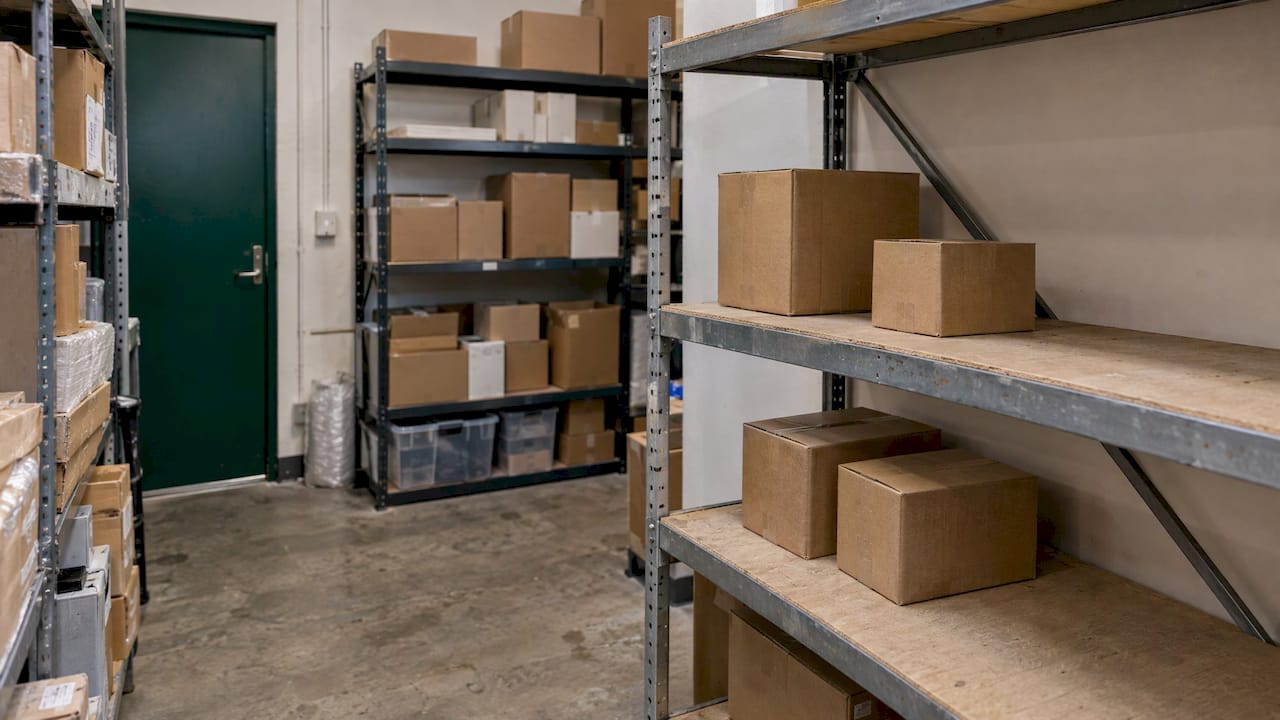
The pattern carries beyond online stores. Any business that tracks stock, supplies or equipment can set a threshold and let the system raise the alert.
Example 8: Reporting and internal summaries
Many managers spend part of every week pulling numbers from several places into one report. The automation:
- Collects the figures from each system on a schedule.
- Formats them into the same layout every time.
- Sends the summary to the people who need it, with exceptions highlighted.
It is a small project, and it is also a good test of whether your data is tidy enough to automate anything else. If the numbers disagree between systems, fix that first.
The eight examples at a glance
| Example | Trigger | What the system does | What stays human |
|---|---|---|---|
| Invoice processing | Invoice arrives | Reads, matches, routes, queues payment | Exceptions and disputes |
| Missed call recovery | Unanswered call | Texts the caller right away | The conversation and the quote |
| Event coordination | Invitation sent | Logs RSVPs, answers questions, reminds | Special requests |
| Customer onboarding | Contract signed | Welcome, document chase, task creation | The relationship |
| Follow-ups and reminders | Task or quote created | Assigns, reminds, escalates | Judgment on priorities |
| Approvals | Request submitted | Routes, escalates, logs | The decision |
| Inventory monitoring | Stock or listing change | Alerts and daily summary | Reordering choices |
| Reporting | Schedule | Gathers and sends the summary | Acting on the numbers |
How to choose which workflow to automate first
You do not need to automate everything. Pick the workflow that scores best on these four questions.
- Does it repeat often? A task done twice a year rarely pays back.
- Are the rules clear? If two people would handle the same case differently, settle the rule before you automate.
- Does it cost you something when it fails? Lost leads, late payments and no-shows are easy to put a number on.
- Does it touch tools you already use? The best automation fits into existing operations rather than asking your team to learn a new way of working.
Then map the current process on one page: who does what, in what order, and where it waits. That map is the real specification. It is also why we start by understanding a client’s workflow before building anything.
When off-the-shelf is not enough
Some workflows fit a standard pattern. Others are shaped by how your business actually runs: an unusual approval chain, a mix of phone, text and email, or a process that spans several systems. When that is the case, custom software can pay off. Our guide to custom business software and when it pays off covers how to judge it.
Work with GLPS Memphis
We build practical technology that integrates with the way your team already works, and we keep improving it after launch. Depending on your problem, that may be Project G3 for tasks and follow-ups, the SMS Event Coordinator for guest communication, Missed Call Recovery for calls that would otherwise be lost, or a custom build from an IT consulting engagement. See all of it on our services page.
Tell us which workflow is eating your week, and we will start by understanding how it runs today.
Common mistakes to avoid
- Automating a broken process. Fix the process, then automate it.
- Skipping the exception path. Every workflow needs a defined route to a person when something does not fit.
- Starting too big. One workflow that works beats five that half work.
- Ignoring consent and privacy. Any automation that texts or emails customers needs permission built in.
- Never reviewing it. Businesses change. A workflow should be revisited after launch, not left alone for years.
FAQ
What are examples of workflow automation?
Common examples include invoice processing, missed call text-back, event RSVP and reminder messages, customer onboarding checklists, task follow-ups, approval routing, inventory alerts and scheduled reports. Each starts with a trigger, applies rules and then takes an action without someone doing it by hand.
What is an example of a workflow process?
A vendor invoice is a typical one. It arrives, the data is captured, it is matched to a purchase order, an approver signs off, and payment is scheduled. Each of those steps can be handled by a person, by software or by a mix of both.
How do you automate invoice processing?
Send invoices to one intake address, capture the key fields automatically, check them against your records, and route them to approvers by amount or department. Anything that fails a check goes to a person. Write your approval rules down before you build, because the automation can only follow rules that exist.
Which workflow should a small business automate first?
Start with one that repeats often, has clear rules and costs you when it fails. For many businesses that is missed call follow-up, invoice reminders or appointment and event reminders, since each has an obvious trigger and a result you can measure.
Sources
- 13 Statistics That Quantify Cost per Invoice in Manual vs Automated Flows
- Missed Call Statistics 2026: What Unanswered Calls Cost
- ShelfSparrow: Inventory operations articles
Leave a Reply